


This detailed guide breaks down the NetMirror App with important information about its safety, legality, and more.

Millions of people have installed and use this application on various streaming boxes and more
However, there are various questions surrounding the app including its safety and legality and whether or not you should be using it to view your favorite films.
This guide answers those questions and more so you can be informed prior to installing/using NetMirror on your favorite device.
What is NetMirror?
NetMirror is a streaming website that is also available as an application to stream VOD (Video-on-Demand) content.
It mimics the Netflix interface that millions of people are used to seeing when using this streaming platform.
The content provided appears to be the same and playback functions in the same manner (although sometimes with more buffering and lower quality graphics).
It has an official website that you can access on various devices, including streaming devices such as Firestick and Google/Android TV boxes, which can be downloaded via APK.
With simple functionality and a plethora of series and films to choose from, it is easy to see why this application has gained so much popularity recently.
Currently, the app can be installed on the following devices:
- Android
- iOS (iPhone/iPad)
- Firestick/Android TV/Google TV
Those who wish to access this platform on a Windows PC or Computer can do so with the official website using a preferred browser. (NetMirror mentions Google Chrome and Firefox for better performance).
Those who opt for the website version will need to sign in with an account that can be created with an email address. If you choose to do this, we strongly suggest using an anonymous email such as StartMail to ensure privacy and protection since this platform is unverified.
As we mentioned earlier, NetMirror is a mirror/fork/clone of Netflix that mimics the interface of the world’s most popular streaming app. It also appears to provide original programming that can only be found on Netflix.
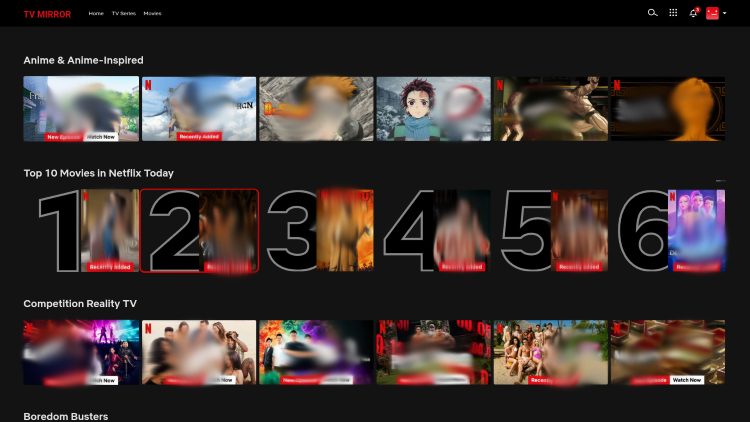
It features a built-in video player so you can view media and adjust settings such as Closed Captioning, video quality, playback speed, and more.
Before using this application, make sure to read our guide thoroughly so you understand important information about NetMirror, including its safety and legality.
How to Install NetMirror App on Firestick & Android
In this guide, we are installing NetMirror on an Amazon Firestick, but these instructions also work for other media boxes including Google/Android TV which have become increasingly popular.
You can also follow along on Android Phones & Tablets by selecting the “Android” link and installing directly on your device through your browser.
NOTE: Recently, NetMirror has been added to the Google Play Store for those who prefer to download from the official App Store.
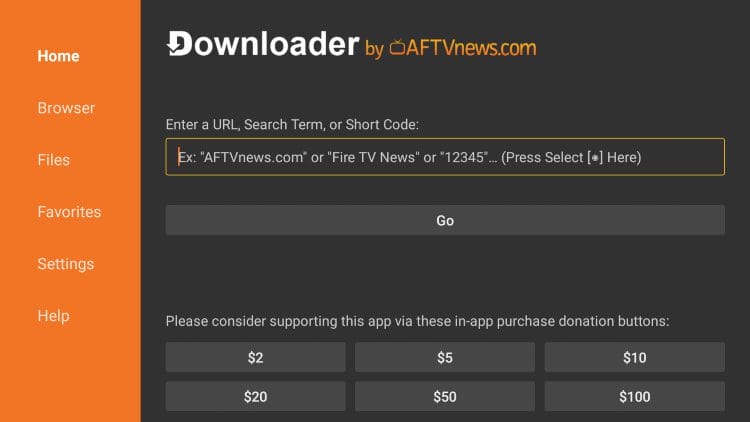
1. Open the Downloader App (Make sure you have enabled Unknown Sources) and click the URL Box.
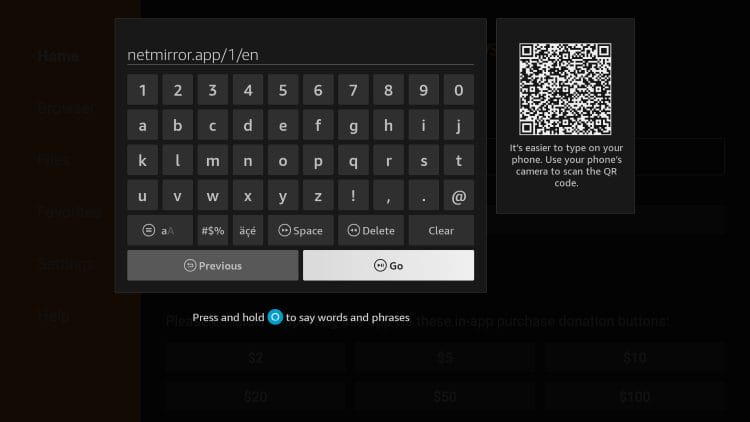
2. Input netmirror.app/1/en and click Go.
3. Scroll down to find the option for Android TV and select it.
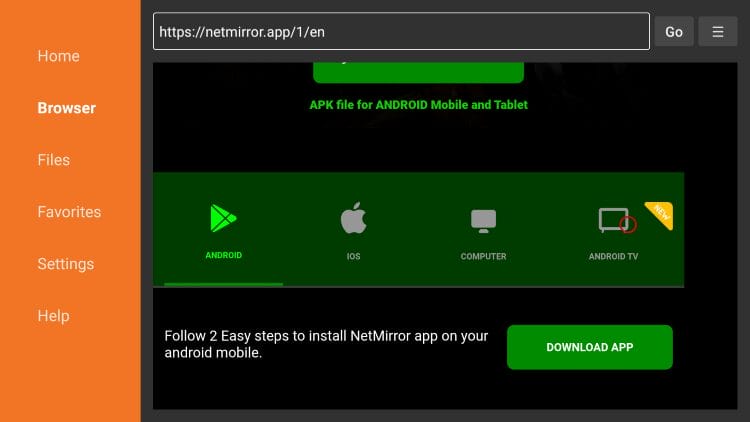
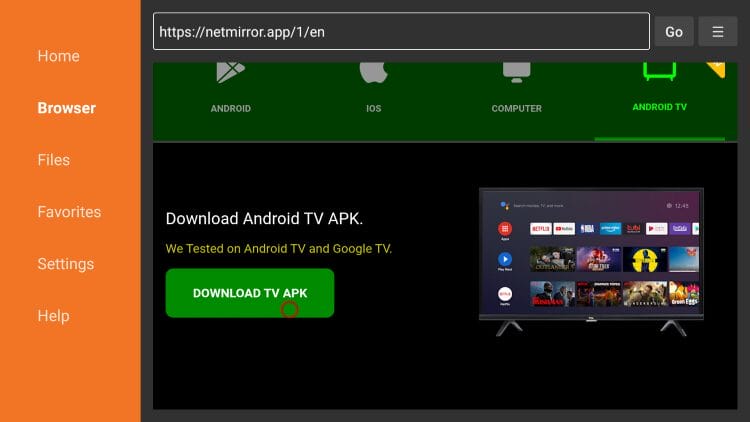
4. Click Download TV APK.
Note: It took multiple tries clicking the Download TV APK button for the download to process.
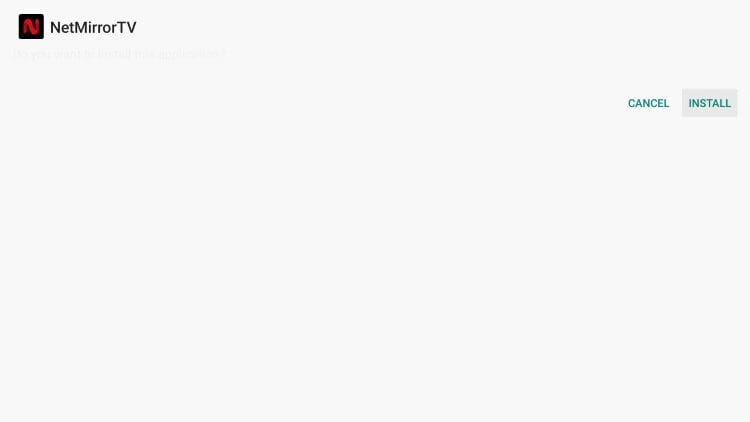
5. Choose Install.
6. Select Open.

7. The NetMirror App will now launch for use.

NetMirror on iOS
Those interested in installing on iOS devices including iPhone/iPad can follow the instructions on the official website.
This requires the installation of a 3rd app Installer called Dodo Webview. This is available within the Apple App Store.
Unfortunately, after installing Dodo Webview, there is no further capabilities to download NetMirror that we could find, which means the app is unavailable for iOS devices.
If you are able to install it on your iPhone or iPad, let us know how in the comments below!
NetMirror App Review
NetMirror is an unverified streaming application that offers movies, TV shows, and more. Here is what our testing revealed:
What We Like
- No subscription or account registration required to start streaming
- Clean interface
- Supports Android phones, tablets, Firestick, and Android TV/Google TV devices
- Built-in video player with closed captioning and playback speed controls
- Multiple video quality options available during playback
- PC users can access content through a web browser without installing software
What We Don’t Like
- Appears to stream copyrighted content without authorization
- VirusTotal scan of the official website flagged multiple malicious files
- Not available on any official app store (Google Play or Apple App Store)
- Anonymous developer with no verifiable company name or contact information
- Users report frequent buffering, playback errors, and app crashes on Android TV
- iOS installation through the Dodo Webview workaround does not appear to function
- Reddit users have reported malware warnings and ISP cease-and-desist letters after use
- Domain registration details are hidden behind privacy protection
Screenshots
Here are a few screenshots of the application in action. You will notice a familiar layout.
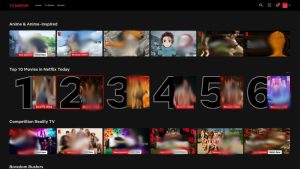


Continue reading below before using this app so you ensure your overall safety and security.
Is the NetMirror App Legal?
It’s impossible for TROYPOINT to determine whether these unverified apps hold the proper licensing.
NetMirror is available in the Google Play Store, which may give the impression that it has been fully vetted for legality. However, this is not always the case, as apps with access to unverified or potentially infringing content can still be listed.
TROYPOINT recommends only accessing media not protected by copyright such as those that fall under Public Domain status.
The end-user is responsible for all content accessed through unverified apps. For verified options, see our list of legal streaming apps.
Is This App Safe to Use?
The best way to determine the safety of websites and applications is by scanning them with a proper virus/malware checker such as VirusTotal.
We scanned the official website for NetMirror and found that there are several vulnerabilities worth mentioning. Here is the screenshot of the scan:
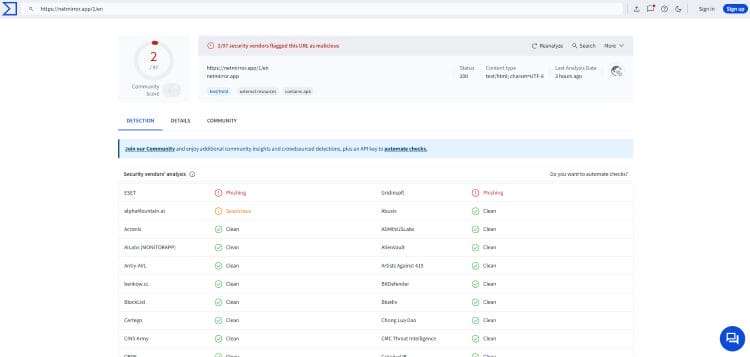
With multiple malicious files, it is important to point out the dangers of this website and those who choose to visit it should proceed with caution.
Make sure that if you choose to use this APK or other unverified media apps you are using a VPN or Virtual Private Network that will encrypt your internet connection and make you completely anonymous.
Final Notes from Troy
NetMirror has become a popular platform for streaming Video-on-Demand movies and shows without a subscription package.
Because it is a replica of the most popular streaming app available today, millions have installed or accessed this platform but that may not be a good thing.
As you can see above, there are serious safety/legality concerns associated with NetMirror and that is why we strongly urge you to consider another application for your streaming enjoyment.
Let us know what you think of NetMirror in the comments below!
The post NetMirror App on Android/Google TV/Fire TV (Install & Review) appeared first on TROYPOINT: Tech Tutorials On Firestick, Kodi, Android TV Box, VPN, IPTV, Streaming, & More.