

The following guide shows how to install and use OnStream APK on Firestick and Android TV/Google TV devices.
OnStream APK is one of the most popular free media Apps (APKs) available today for those who want to watch TV series and movies for free.
It provides users with an easy-to-use interface with a full library of content that you can browse for your viewing entertainment.
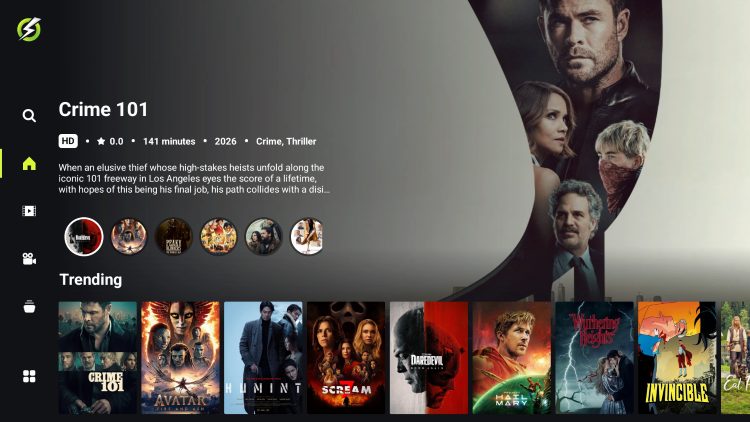
Unlike other applications that serve up free content, OnStream is an “auto-play” APK that provides immediate playback after making your movie/show selection.
This is the main reason that it has continued to grow in popularity and quickly become one of the favorites among cord-cutters/streamers.
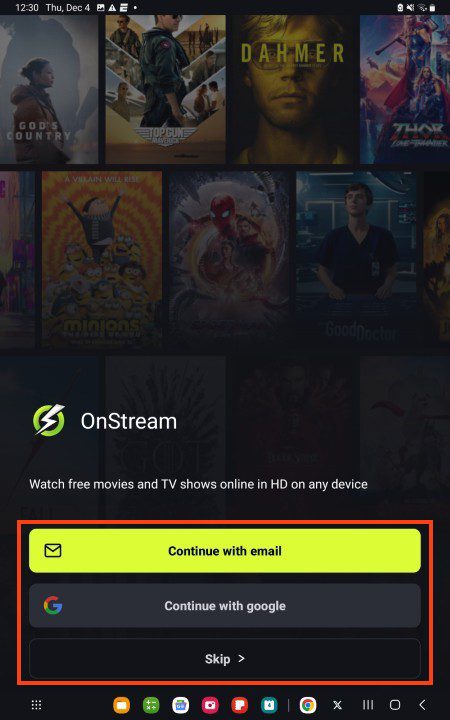
There is also a login feature that we suggest using for a more premium experience that will allow you to save your progress, add media to Favorites, and more.
If you use a Debrid Service such as TorBox, you will not be able to authorize this service for use as OnStream does not currently have debrid capabilities.
Users can easily install OnStream on various media devices including streaming devices such as the NVIDIA SHIELD, Firestick, and other popular Google/Android TV Devices.
In our guide below, we are using the popular Onn 4K Pro for installation but these steps will also work on just about any device you prefer.
Those using Android phones/tablets can install a separate application from the official website, which you will see in the screenshots below.
Continue reading for the installation guide as well as some important details and features regarding the application.
How to Install OnStream APK on Google/Android TV & Fire TV
TROYPOINT Tip: Prior to installing any 3rd party app, we always recommend connecting to our #1 VPN Provider to ensure a safe, anonymous downloading process.
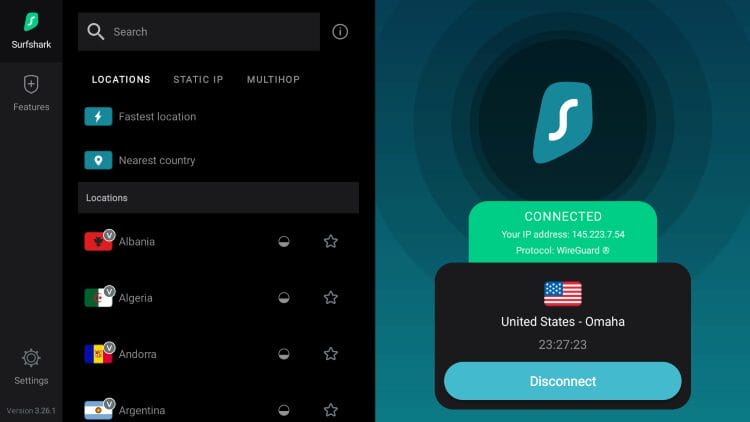
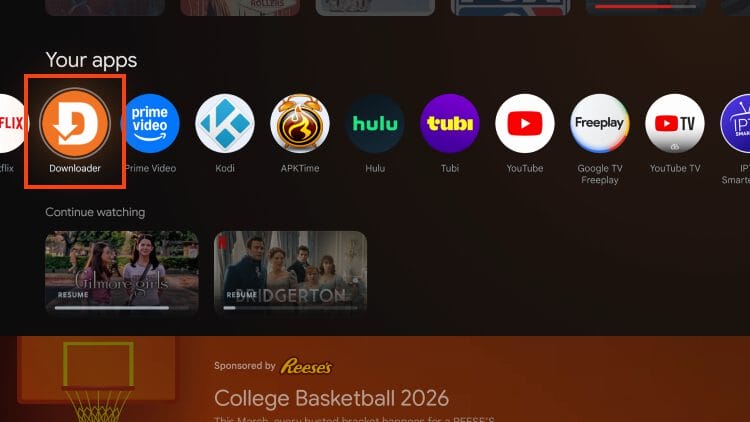
1. First install the Downloader App on your device. If you haven’t done this, refer to our Downloader tutorial. Launch Downloader from your list of installed apps.
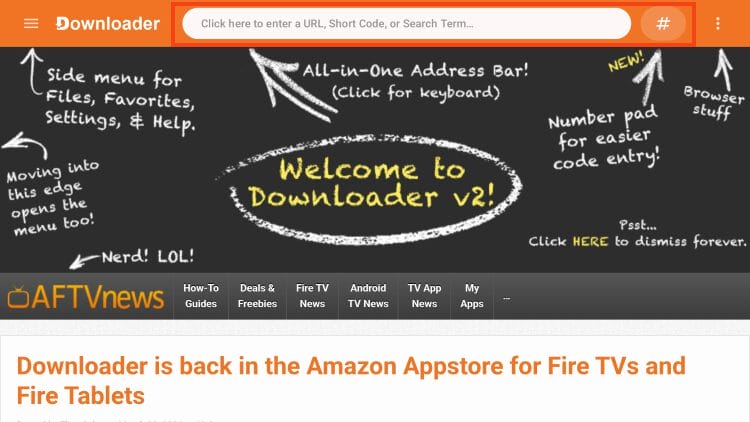
2. Click the URL bar or the Hashtag icon at the top of the screen.
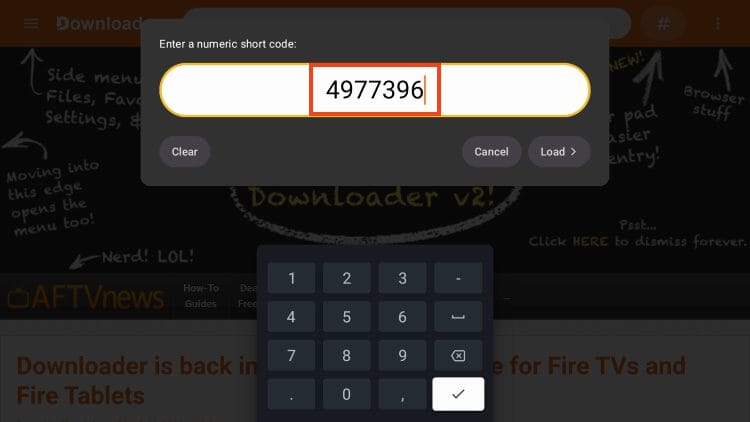
3. Enter 4977396 which is the Downloader Code for the official OnStream website. (If this doesn’t work you can also use onstreamapk.to)
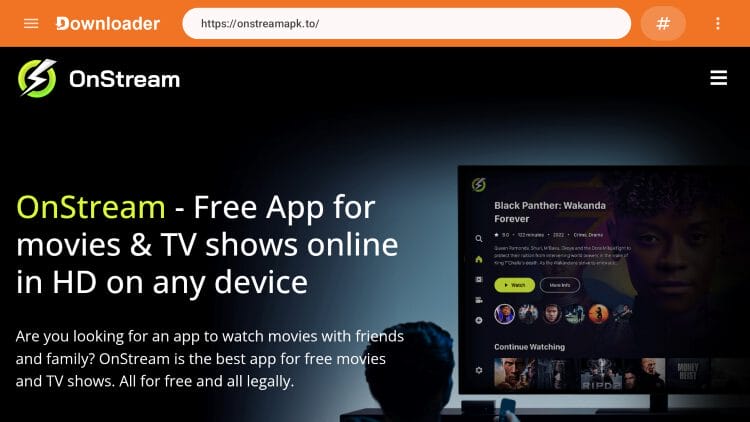
4. You are now on the official OnStream website.
5. Scroll down to find the download options. Choose Android TV if using a Google/Android TV Box or Firestick if you are using Fire TV.
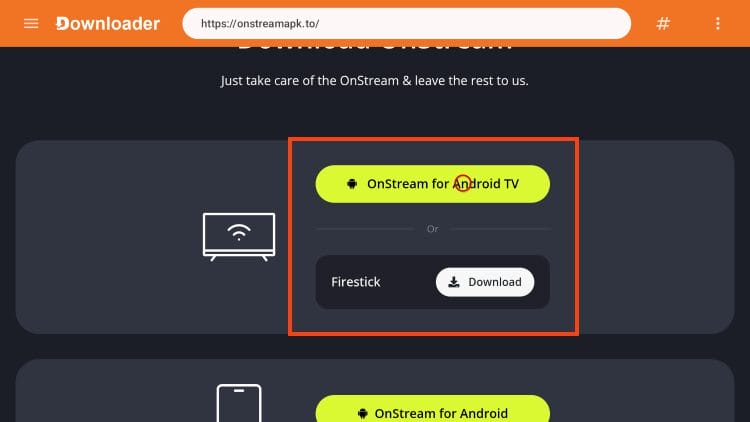
6. Wait for the app to download.
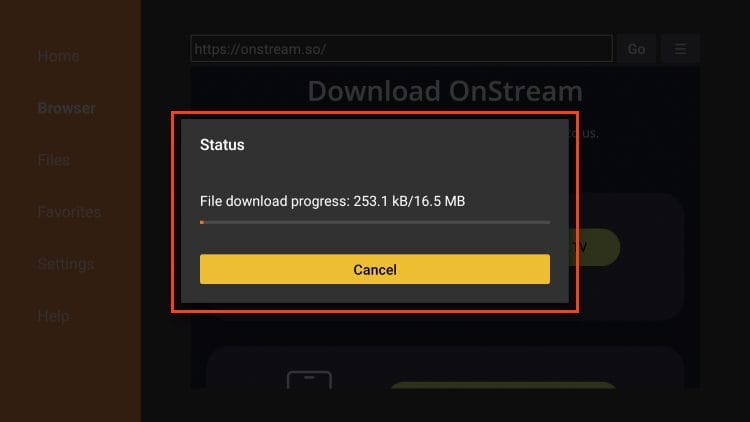
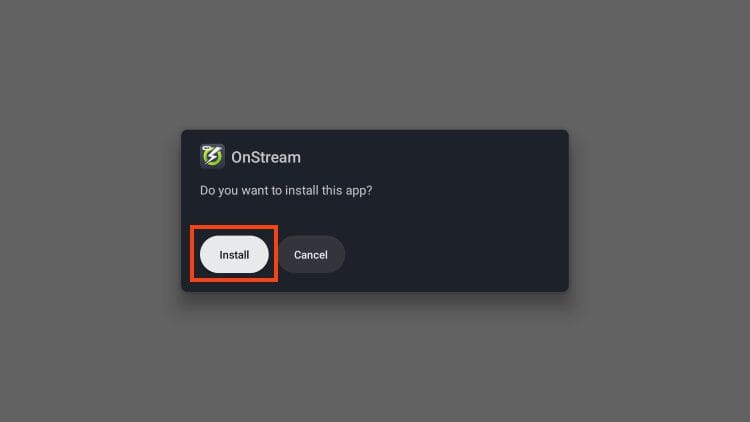
7. Click Install.
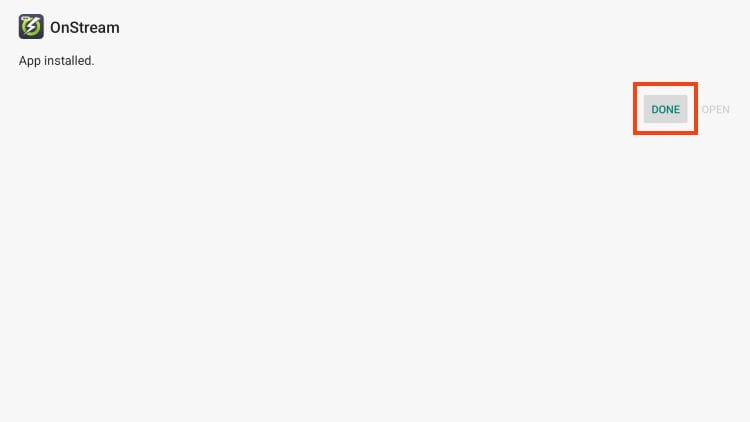
8. Click Done.
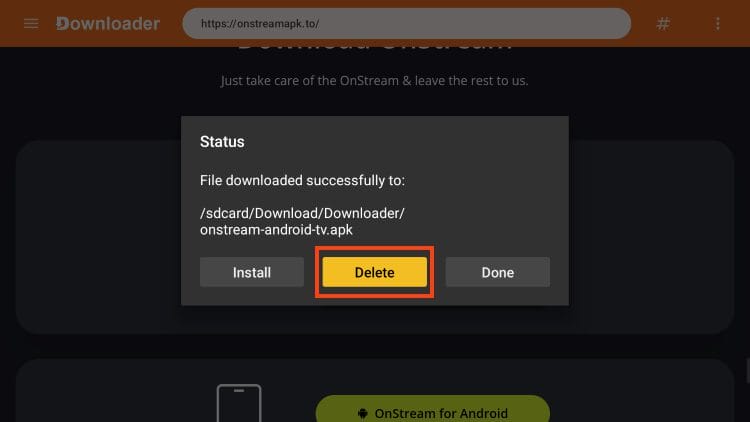
9. This will take you back to the Downloader App. Click delete to remove the installation file.
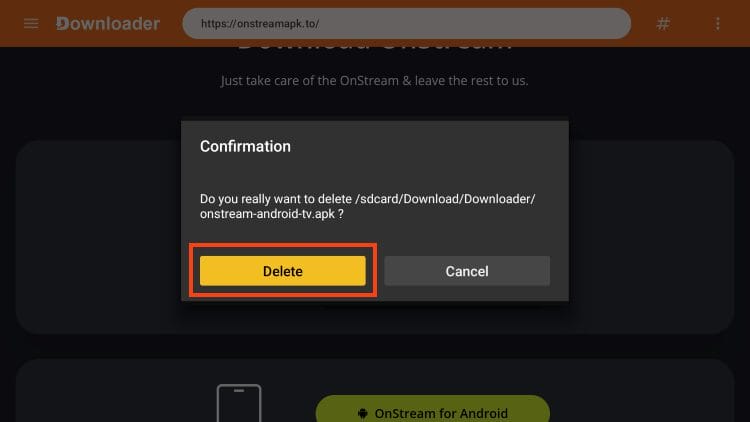
10. Click Delete again.
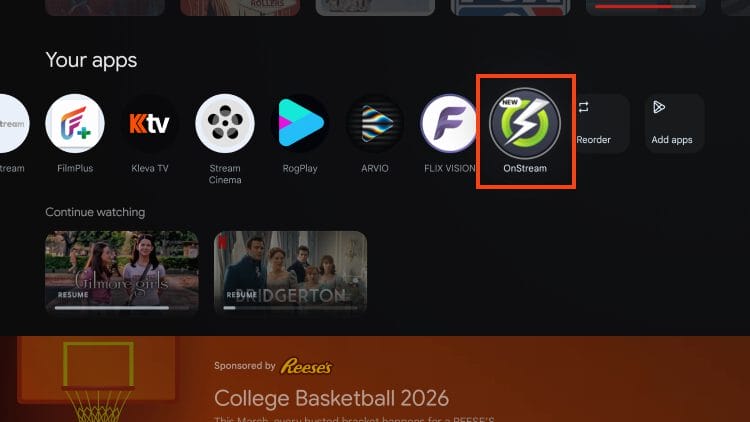
11. You have successfully installed OnStream on your device. Open OnStream from your list of installed apps.
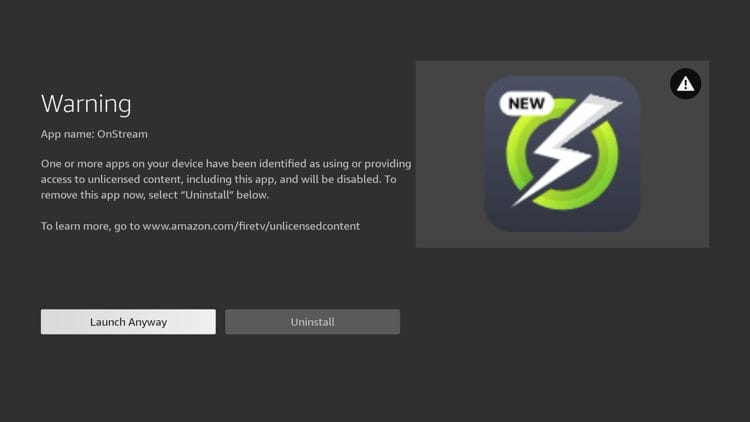
12. If you are using a Fire TV device it’s important to note that you will receive this Warning message. Click Launch Anyway to continue using OnStream.
Note: Amazon is cracking down on third-party apps and this is why we suggest using an Android TV/Google TV device instead.
Install OnStream on Android Phone/Tablet
Unlike streaming devices like the Firestick and Google TV, installation on phones/tablets is a bit easier as the Downloader app is not required.
Instead, you can use your preferred browser for immediate download by following the instructions below.
1. Open your browser and visit onstreamapk.to.
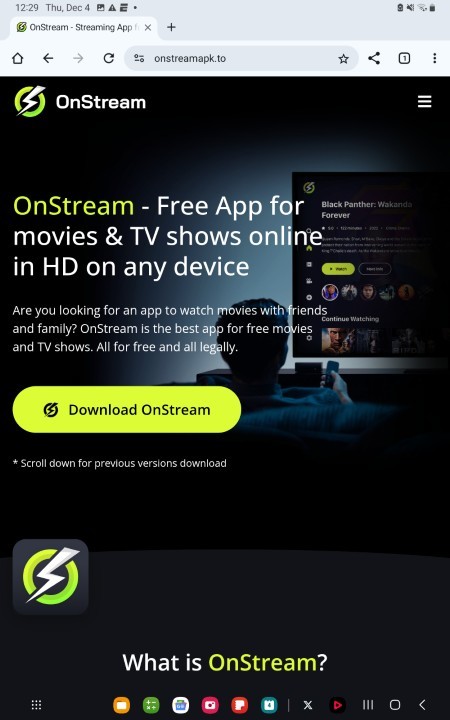
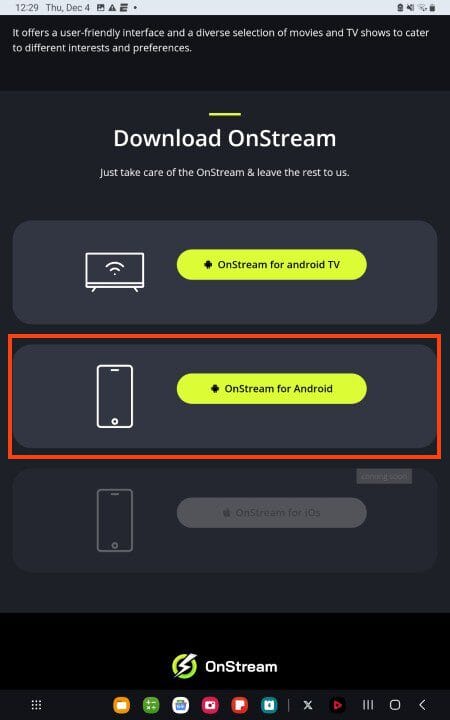
2. Scroll down to find OnStream for Android and select it.
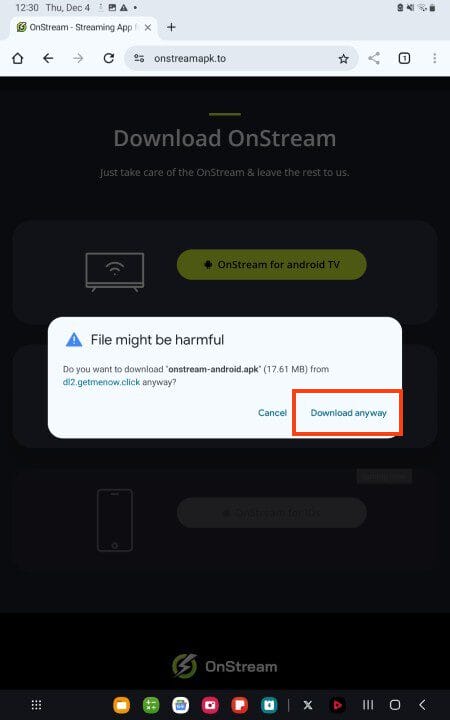
3. Choose Download Anyway.
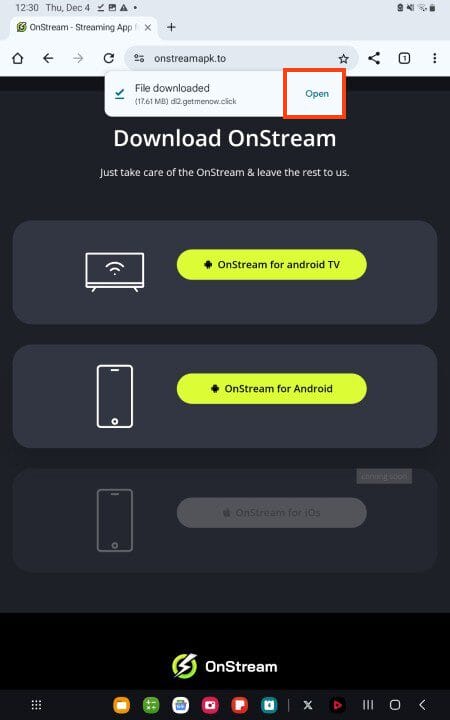
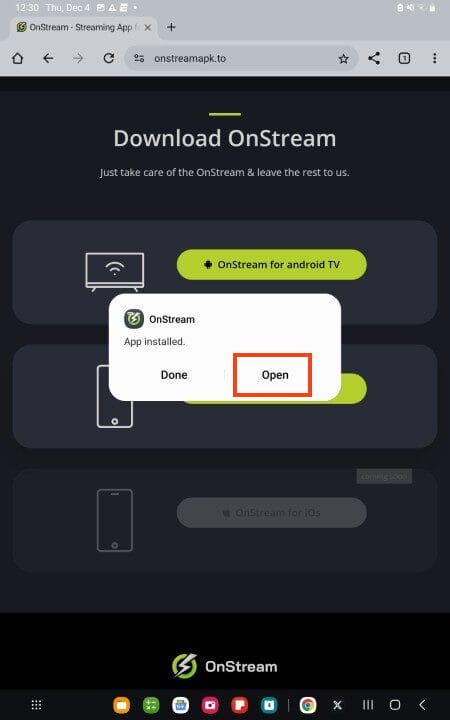
4. Wait for the file to install and click Open.
5. Select Install.
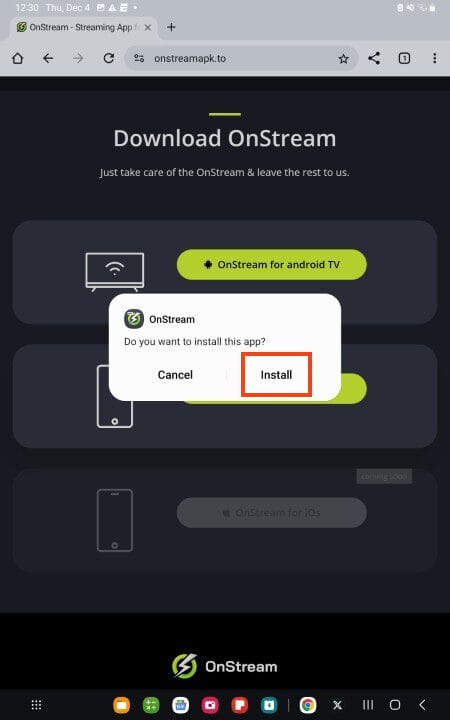
6. Choose Open.
7. Sign In or choose Skip.
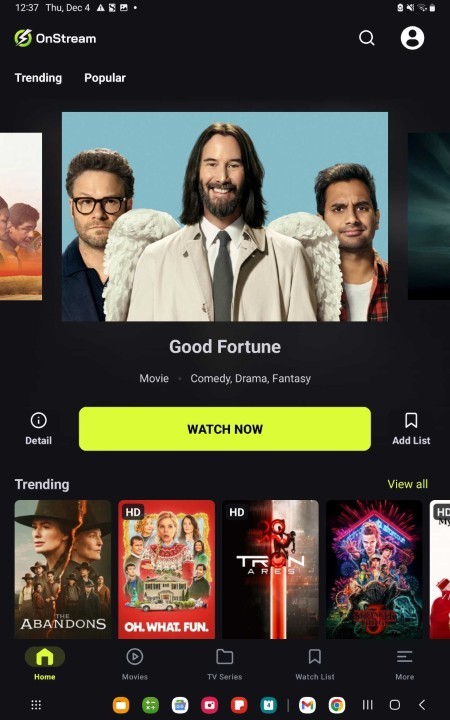
8. OnStream installation is complete!
OnStream APK Review
OnStream has become one of the most popular auto-play APKs among cord-cutters seeking instant playback without complicated setup. Here’s what to consider before installing.
What We Like
- Passed VirusTotal scan with no malicious files detected
- One-click auto-play starts content immediately
- Optional email login saves favorites and viewing progress
- Subtitle support in multiple languages
What We Don’t Like
- Numerous imposter websites distribute fake/malware-infected versions
- No debrid integration (although some prefer this)
- TrickMo banking trojan has been disguised as OnStream APK
- No live TV channels available (VOD only)
- Server downtime can cause temporary streaming issues
Details & Features
As noted above, OnStream APK is a simple app for viewing Movies and TV Shows. You will notice the user-friendly interface with various options to choose from.
The application does provide registration via email which will offer some added features. If you do so, we suggest using an anonymous email address such as StartMail.
The biggest addition with email sign-in is the My List tab which will allow you to add all of your favorites for quick access. Users will also have the ability to edit their avatar for personalization and more.
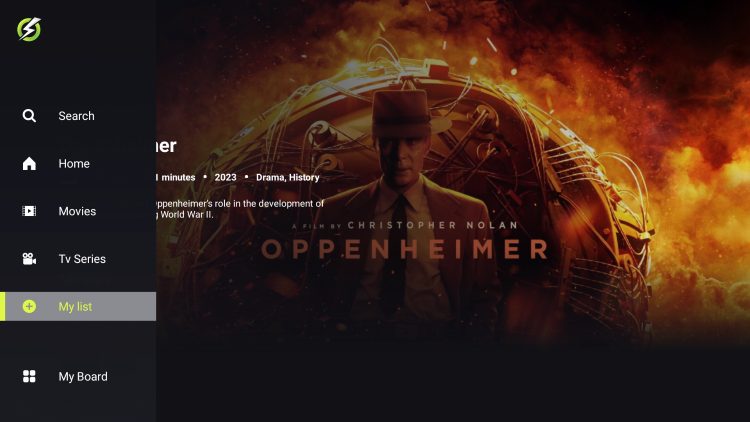
Unlike other popular streaming apps, OnStream APK does not provide debrid or trakt integration. Fortunately, links provided have auto-play capabilities for instant streaming of Movies and TV Shows. These links play extremely fast and most times in high definition including 1080p.
This is a great feature that we suggest checking out if you are familiar with APKs such as this. OnStream uses some of the most well-known scrapers to find high quality links that do not buffer.
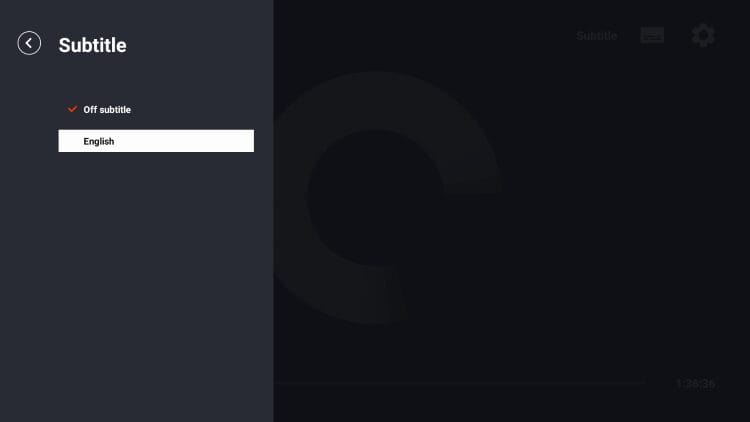
Although the app focuses on simplicity, users can expect to find some added benefits within the app that will improve your streaming experience. This includes subtitle capabilities for closed captioning as shown below.
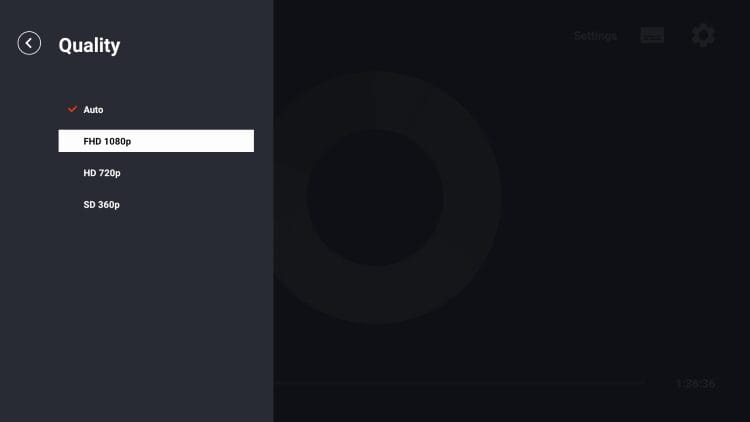
You can also filter resolution quality within playback of a show or movie. While Auto is typically auto selected, there are also options for 720p & 1080p.
While there are tons of Movies and TV Shows available, there are no live streams available within this app. We suggest an IPTV Service for those who wish to stream live television channels on Firestick and Android TV.
Those who prefer to use PC/Windows to access OnStream can do so via emulator such as BlueStacks. This is a simple process outlined in our Android Apps on PC Tutorial Guide that walks you through installation step-by-step.
Screenshots
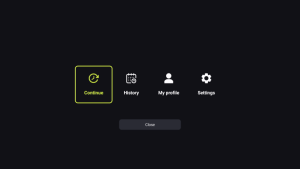
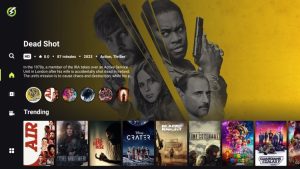

Official Website
There is a plethora of information available on the official website for OnStream including download links for your favorite device.
If you have questions, you can find most answers here as well as full features list and different guides including downloading capabilities that may be beneficial for you.
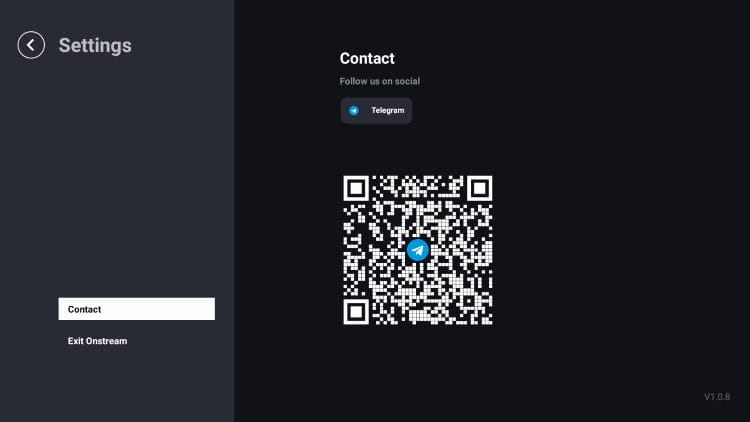
For all other questions, you can contact the developers via Telegram which is linked on the website. You can also find this within the application on various media devices.
Imposter Websites
It is important to point out that there are various “imposter” websites claiming to be the official site for OnStream.
Make sure you are only installing/downloading this application from the official website that we provide in our installation instructions above.
If you come across a site that has various ads and popups like the one below, it is probably a phony knockoff looking to take advantage of the OnSream name.
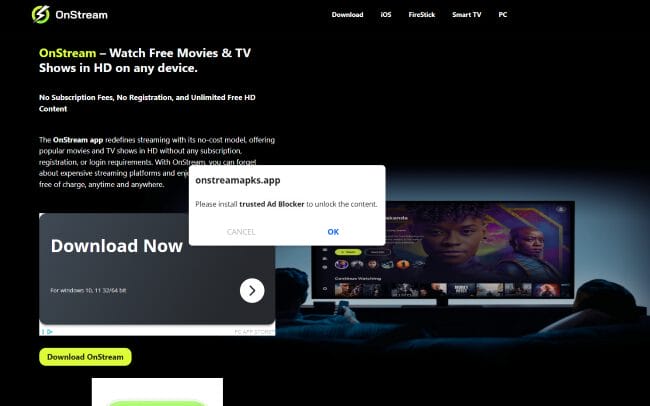
Make sure you do not download anything from these unofficial outlets as the download files will likely contain viruses/malware that can infect your media box or streaming device!
Is OnStream APK Legal?
It’s impossible for TROYPOINT to determine whether these unverified platforms hold the proper licensing.
At first glance, it appears that OnStream APK may be distributing copyrighted content without the proper licensing.
We only recommend using legal streaming apps to view both live and on-demand content. Ultimately, the end-user is responsible for content accessed within this unverified app.
Is This App Safe to Use?
We always make sure to scan these unverified apps and services with the scanning tool VirusTotal. Here is the results from the scan of the APK file.
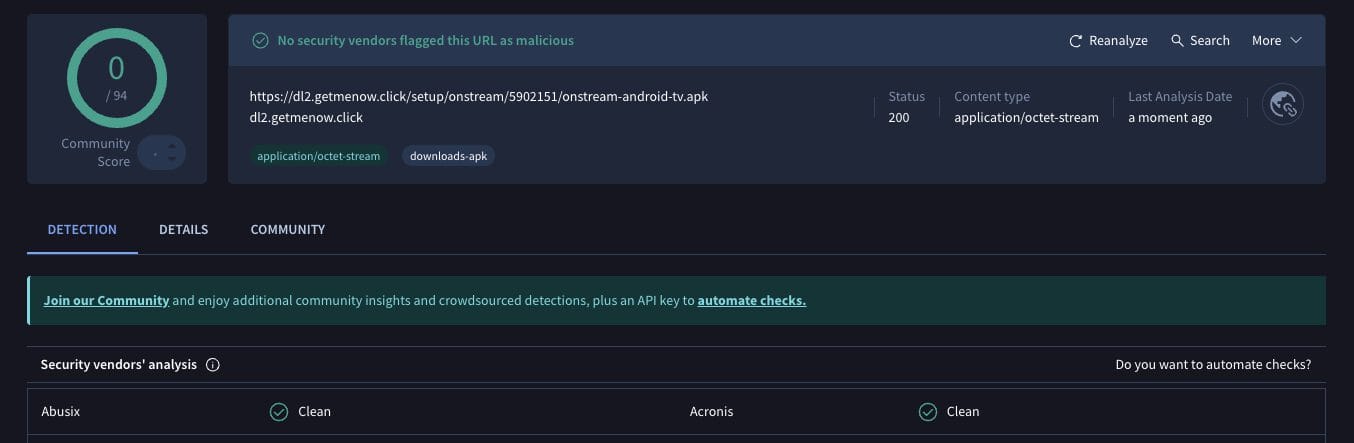
While VirusTotal did not flag any malicious files with viruses/malware, we should always protect ourselves when watching content from unverified streaming apps.
The best way to do this is with a secure VPN that will protect your identity and anonymity when using unverified apps such as this.
Final Thoughts from Troy
While it seems as though auto-play applications were a thing of the past, OnStream has taken over this role and is currently the best available for those who prefer this type of playback.
The developers continue to update it with new features and additions which keeps it functioning at a high level.
Are you a fan of the OnStream APK? Let us know what you think of it in the comment section below!
The post How to Install OnStream APK on Android TV/Fire TV (2026) appeared first on TROYPOINT: Tech Tutorials On Firestick, Kodi, Android TV Box, VPN, IPTV, Streaming, & More.